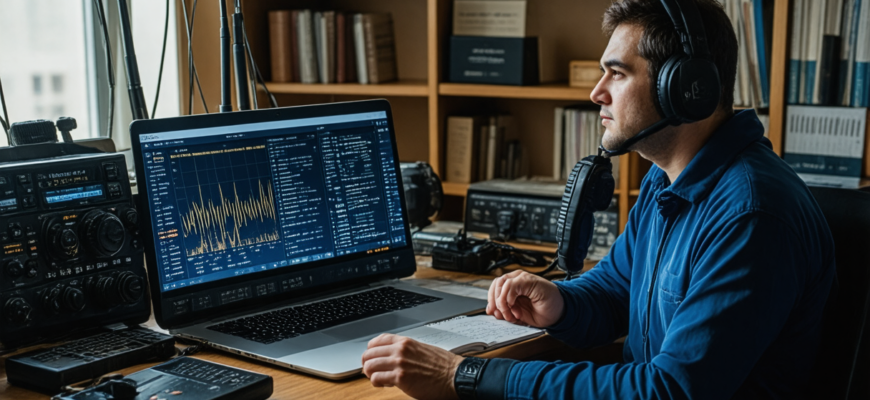
Amateur radio, also known as ham radio, has long been a fascinating pursuit that combines technology, communication, and community. With advances in digital technology and software development, amateur radio operators now have an extensive toolkit at their disposal to improve their operations, expand capabilities, and make the hobby more engaging. This comprehensive guide explores how dedicated software solutions can revolutionize your amateur radio experience—from logging contacts to digital modes, station control, and beyond.
- Introduction to Software in Amateur Radio
- Popular Software Tools for Amateur Radio Enthusiasts
- Transmission and Reception Software
- Logging and Station Management
- Propagation and Band Planning Tools
- Station Control and Automation Software
- The Benefits of Using Software in Amateur Radio
- Enhanced Communication Efficiency
- Streamlined Logging and Record Tracking
- Better Propagation Prediction and Planning
- Automation and Remote Operation Capabilities
- Implementing Software in Your Amateur Radio Setup
- Choosing the Right Software for Your Needs
- Hardware Compatibility and System Requirements
- Configuration and Integration
- Training and Skill Development
- Step-by-Step Guide: Setting Up Digital Mode Operation
- Maximizing Your Amateur Radio Potential with Software
- Regular Updates and Community Engagement
- Integrating Multiple Software Tools
- Customizing Software for Personal Needs
- Future Trends in Amateur Radio Software
Introduction to Software in Amateur Radio
Historically, amateur radio was primarily analog, relying on physical devices and manual operations. However, since the advent of personal computers and the internet, software tools have become integral to ham radio activities. These programs facilitate various tasks that once required manual effort, increasing efficiency, precision, and the potential for innovation.
Today, software in amateur radio can serve multiple functions, including:
- Logging and record-keeping
- Digital mode operation (such as PSK31, FT8, RTTY, and more)
- Station control and automation
- Propagation prediction and analysis
- Mapping and visualization of contacts
- Emergency communication support
Popular Software Tools for Amateur Radio Enthusiasts
Transmission and Reception Software
- WSJT-X: The leading digital modes suite supporting FT8, JT65, WSPR, and others. Known for efficient weak signal communication, it has revolutionized contesting and DXing.
- FLdigi: A versatile digital modem program compatible with most digital modes, offering decoding and encoding functionalities suitable for various operating styles.
Logging and Station Management
- Logbook of The World (LoTW): An online logs database managed by ARRL, allowing verified QSO confirmation and award management.
- Ham Radio Deluxe: A comprehensive suite providing logging, rotor control, radio control, and digital mode operation in an integrated interface.
- Log4OM: Free logging software with extensive features, including station management, award tracking, and connection to various digital modes.
Propagation and Band Planning Tools
- VOACAP: A powerful propagation prediction model used for planning contacts and understanding ionospheric behavior.
- DxAtlas: Map-based propagation prediction and real-time band activity visualizations for DXers and contesters alike.
Station Control and Automation Software
- DM-780: An excellent digital mode control software compatible with many rigs, providing comprehensive configuration options.
- Hamlib: An open-source library that allows station control software to interface with various radio models via CAT commands.
The Benefits of Using Software in Amateur Radio
Enhanced Communication Efficiency
Digital modes and software automation substantially improve the clarity and reliability of contacts, even under challenging conditions. Modes like FT8 enable making long-distance contacts with minimal power and modest antennas by leveraging weak signal processing techniques.
Streamlined Logging and Record Tracking
Automated logging reduces manual entry errors, simplifies award pursuits, and enables real-time record updates. Integration with online databases, like LoTW, further streamlines QSO verification and awards management.
Better Propagation Prediction and Planning
Understanding ionospheric conditions and band activity helps operators plan optimal times for contacts, especially in contesting and DXing. Software tools provide visualizations and forecasts that inform operational decisions.
Automation and Remote Operation Capabilities
Station control software allows remote operation, automation of repetitive tasks, and integration with logging and digital modes, making amateur radio more flexible and accessible.
Implementing Software in Your Amateur Radio Setup
Choosing the Right Software for Your Needs
Begin by identifying your primary interests: casual communication, contesting, DXing, digital modes, or emergency communication. The choice of software should align with your goals, station equipment, and operating style.
Hardware Compatibility and System Requirements
Ensure your computer hardware meets the software’s requirements and that your radio supports computer control via USB, serial, or Ethernet interfaces. Many modern radios support CAT commands for seamless integration.
Configuration and Integration
Proper setup involves configuring your radio, soundcard (for digital modes), and software. Follow manufacturer instructions and community resources for configuration tips. Consider network setup for remote operation or multi-station management.
Training and Skill Development
Learning how to operate digital modes and station control software can seem daunting initially. Many online tutorials, forums, and user groups provide valuable guidance, enabling operators of all skill levels to enhance their proficiency.
Step-by-Step Guide: Setting Up Digital Mode Operation
- Install Digital Mode Software: Download and install a program such as WSJT-X or FLdigi.
- Configure Soundcard Interface: Set up your computer’s soundcard for transmitting and receiving audio signals used in digital modes.
- Connect Radio to Computer: Use an appropriate interface cable (soundcard interface or direct USB connection) according to your radio model.
- Configure Radio Settings: Adjust power, mode, and bandwidth settings within your radio and software to match mode requirements.
- Verify Signal Flow: Conduct test transmissions to ensure the software correctly encodes and decodes signals.
Maximizing Your Amateur Radio Potential with Software
Regular Updates and Community Engagement
Stay updated with the latest software versions and participate in online ham radio communities and forums. Sharing experiences and troubleshooting tips accelerates learning and reveals new tools and techniques.
Integrating Multiple Software Tools
- Use digital modes software in tandem with logging programs to automate contact saving.
- Combine propagation prediction tools with radio control for optimal scheduling.
- Employ mapping software to visualize contact locations and analyze coverage areas.
Customizing Software for Personal Needs
Many software packages are customizable. Adjust settings, hotkeys, and interfaces to streamline workflows and adapt to specific operating styles or station configurations.
Future Trends in Amateur Radio Software
| Trend | Description |
|---|---|
| Artificial Intelligence and Machine Learning | Enhancing signal decoding, propagation prediction, and anomaly detection through AI algorithms. |
| Cloud Integration | Enabling remote logging, station control, and collaboration via cloud platforms. |
| Open-Source Development | Expanding collaborative software projects, fostering innovation and customization. |
| Mobile and App-Based Solutions | Allowing operators to access key features via smartphones and tablets for greater flexibility. |
The integration of software into amateur radio has opened up unprecedented opportunities for innovation, efficiency, and enjoyment. Whether you are interested in digital modes, logging and awards, propagation analysis, or remote station operation, there are tailored software tools to meet those needs. Embracing these technologies not only enhances technical capabilities but also deepens engagement with the amateur radio community, making the hobby more accessible and rewarding for all enthusiasts.
Investing in learning and implementing these software solutions will undoubtedly elevate the amateur radio experience, yielding more successful contacts, better station management, and a richer understanding of radio science. As technology continues to evolve, so too will the possibilities for amateur radio operators eager to explore new frontiers in communication and innovation.
Похожие записи:
 Comprehensive Review of the Latest Mobile Radio Apps and Software for Amateur Enthusiasts
  Revolutionizing Communications: The Latest Software Updates Enhancing Digital Modes in Amateur Radio
  Integrating Software-Defined Radio into Your Daily Operations: A Comprehensive Guide for Amateur Radio Enthusiasts
  Comprehensive Review of Radio Programming Software for Beginners
  Getting Started with Digital Modes like FT8 and PSK31: A Complete Guide for Amateur Radio Enthusiasts
  Unlocking the Power of Connection: The Benefits of Joining Amateur Radio Contesting Communities
  High-Gain Antennas for Long-Distance Communication: Unlocking Extended Reach in Amateur Radio
  Understanding Ham Radio Frequencies and Bands: A Comprehensive Guide for Amateur Radio Enthusiasts
  Effective Propagation Analysis Techniques Throughout the Year: Maximizing Ham Radio Performance
  In-Depth Analysis of the Latest Valve and Solid State Amplifiers: Which One Truly Elevates Your Radio Experience?
  Enhancing CW Skills with Cutting-Edge Training Software: Your Path to Radio Success
  Top Accessories to Maximize Your Performance in Digital Mode Amateur Radio Operations
  How to Use Repeater Networks for Better Coverage: A Complete Guide for Amateur Radio Enthusiasts
  Mastering DXing: Expert Tips for Contacting Rare Amateur Radio Stations
  How to Choose Your First Amateur Radio Transceiver: Essential Tips for Beginners
  Effective Tips for Organizing Successful Ham Radio Contests: A Comprehensive Guide