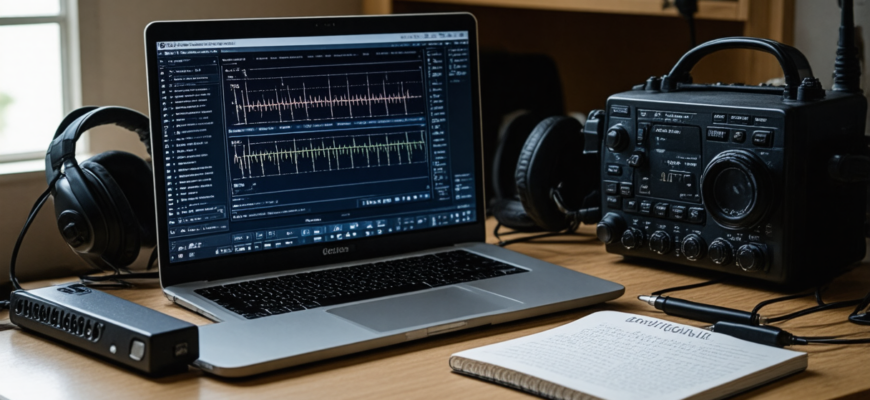
Entering the world of amateur radio can be both exciting and challenging, especially when it comes to setting up radio transceivers and managing their configurations. For newcomers, selecting the right radio programming software is crucial for simplifying the process, saving time, and ensuring their radio devices operate efficiently. In this comprehensive review, we will explore the most popular and user-friendly radio programming tools suitable for beginners, analyze their features, advantages, and limitations, and provide guidance on how to choose the best software for your needs.
- Understanding Radio Programming Software: What Is It?
- The Importance of Choosing Suitable Radio Programming Software for Beginners
- Top Radio Programming Software Options for Beginners
- 1. CHIRP
- Overview
- Features
- Advantages
- Limitations
- 2. RT Systems Software
- Overview
- Features
- Advantages
- Limitations
- 3. VM, KPG, and Other Manufacturer Software
- Overview
- Features
- Advantages
- Limitations
- Comparison Table of Radio Programming Software for Beginners
- How to Choose the Right Radio Programming Software for Beginners
- 1. Compatibility with Your Radio
- 2. Ease of Use
- 3. Cost and Licensing
- 4. Community and Support
- 5. Future Scalability
- Best Practices for Using Radio Programming Software
- Additional Resources
Understanding Radio Programming Software: What Is It?
Radio programming software is specialized applications designed to help amateur radio operators configure their radios with preset channels, frequencies, and various operational settings. Instead of manually entering frequencies and settings on the radio device itself, users can use software to create, edit, and upload configurations, making the process faster and less prone to errors.
These programs are compatible with many radio brands and models, often supporting additional features such as firmware updates, digital modes, and advanced customization options. For beginners, user-friendly interfaces and straightforward workflows are essential, as they facilitate an easier learning curve and faster mastery of the software.
The Importance of Choosing Suitable Radio Programming Software for Beginners
- Ease of Use: Intuitive interface simplifies setup and learning process.
- Compatibility: Support for popular radio models ensures broad applicability.
- Reliability: Stable software minimizes errors during programming.
- Support and Documentation: Good technical support and detailed manuals help resolve issues quickly.
- Features: Basic functions for frequency management plus essential customization options.
Top Radio Programming Software Options for Beginners
Below are some of the most recommended tools for amateur radio enthusiasts just starting their journey into radio programming:
1. CHIRP
Overview
CHIRP is arguably the most popular open-source radio programming software among amateur radio beginners. This versatile program supports a wide range of radio models, including VHF/UHF handhelds, mobile, and base stations. Its user-friendly interface and active community make it an excellent choice for newcomers.
Features
- Supports over 100 different radio models
- Open-source and free to use
- Import/export functions for various file formats
- Basic editing of contacts, frequencies, and settings
- Compatibility with Windows, Linux, and macOS via Wine
Advantages
- Easy to understand and navigate
- Robust community support for troubleshooting
- Regular updates adding new features and device support
Limitations
- May lack advanced features for digital modes
- Some older radio models may have limited support
2. RT Systems Software
Overview
RT Systems offers proprietary programming software tailored for specific radio models. It is designed to provide a straightforward experience for beginners, with simple interfaces and dedicated features for common configurations.
Features
- Model-specific software ensures compatibility
- Graphical interface simplifies frequency and contact management
- Supports importing/exporting channels
- Official support from RT Systems
Advantages
- Easy installation and initial setup
- Intuitive design tailored for newcomers
- Regular updates and dedicated customer support
Limitations
- Limited to specific radio models
- Paid software with proprietary licensing
3. VM, KPG, and Other Manufacturer Software
Overview
Many radio manufacturers release their own programming tools tailored to their devices. These are often free and include basic features suitable for amateur radio enthusiasts.
Features
- Optimized for specific radio models
- Supports firmware updates and basic programming
- Usually free or low-cost
Advantages
- Guaranteed compatibility with specific radios
- Generally straightforward to learn
Limitations
- Limited to manufacturer-specific models
- May lack advanced features needed for digital modes or custom configurations
Comparison Table of Radio Programming Software for Beginners
| Feature | CHIRP | RT Systems | Manufacturer Software |
|---|---|---|---|
| Cost | Free | Paid | Free/Paid |
| Compatibility | Wide range of models | Model-specific | Model-specific |
| Ease of Use | High | High | Moderate |
| Features | Basic + advanced modes support | Basic configuration | Basic to advanced, depending on model |
| Community Support | Strong community | Official support | Limited |
How to Choose the Right Radio Programming Software for Beginners
Selecting the optimal software depends on your specific needs, budget, and radio hardware. Here are some key considerations to guide your choice:
1. Compatibility with Your Radio
Ensure the software supports your radio’s make and model. Manufacturer websites often list compatible software, or you can consult the user manual.
2. Ease of Use
Opt for software with an intuitive interface, especially if you are new to radio programming. Visual guides, wizards, and step-by-step tutorials are valuable features.
3. Cost and Licensing
Free programs like CHIRP are excellent starting points. However, paid options such as RT Systems may offer additional support or features, which might be worthwhile as your skills grow.
4. Community and Support
Engaging with active user communities, forums, and technical support helps troubleshoot issues efficiently and can accelerate learning.
5. Future Scalability
Consider software that can expand with your interests, supporting digital modes, firmware updates, and more complex configurations.
Best Practices for Using Radio Programming Software
- Backup Existing Configurations: Always save current settings before making changes to prevent data loss.
- Start with Basic Features: Focus on creating simple channels and gradually explore advanced options.
- Use Official Documentation: Refer to user manuals, online tutorials, and community forums for guidance.
- Update Firmware Regularly: Keep your radio’s firmware and programming software up to date for compatibility and security fixes.
- Test Configurations: After uploading settings, test your radio to ensure everything functions correctly.
Beginning radio amateurs seeking to streamline their device configuration will find a diverse landscape of programming software tailored to different needs and skill levels. Among the options, CHIRP stands out as the most versatile and beginner-friendly due to its open-source nature, wide device support, and active community. Proprietary solutions like RT Systems offer optimized and simplified interfaces for specific radios, suitable for users who prefer dedicated software with official support. Manufacturer-specific tools, while limited in scope, ensure compatibility and often provide quick setup processes.
Choosing the right software should focus on compatibility, ease of use, cost considerations, and community support. With the right tools and practices, novice radio operators can quickly enhance their skills, improve their station’s efficiency, and enjoy the rewarding experience of amateur radio operation with confidence and professionalism.
Additional Resources
- CHIRP Official Website
- RT Systems Official Site
- Popular radio manufacturer websites (Yaesu, Icom, Kenwood) for model-specific software
- Online forums and communities for amateur radio enthusiasts
Похожие записи:
 Comprehensive Review of the Latest Transceiver Models on the Market: Innovations and Performance for Amateur Radio Enthusiasts
  Integrating Software-Defined Radio into Your Daily Operations: A Comprehensive Guide for Amateur Radio Enthusiasts
  Top Choices for Budget-Friendly Amateur Radio Equipment: A Comprehensive Guide for Hobbyists
  Enhancing CW Skills with Cutting-Edge Training Software: Your Path to Radio Success
  Revolutionizing Communications: The Latest Software Updates Enhancing Digital Modes in Amateur Radio
  Integrating Internet-Linked Repeater Systems with Traditional Ham Gear: A Comprehensive Guide
  Top 10 Portable Ham Radios for On-the-Go Enthusiasts
  Top Microphone and Speaker Combos for Clear Audio: The Ultimate Guide for Amateur Radio Enthusiasts
  In-Depth Analysis of the Latest Valve and Solid State Amplifiers: Which One Truly Elevates Your Radio Experience?
  Top-Rated HF Transceivers for Experienced Operators: The Ultimate Guide
  Building a Simple, Low-Cost Antenna Tuner at Home: A Comprehensive Guide for Amateur Radio Enthusiasts
  Top Picks for Emergency Radio Kits: Essential Gear for Every Preparedness Kit
  Effective Tips for Organizing Successful Ham Radio Contests: A Comprehensive Guide
  Wireless Hotspot and Networking Devices for Remote Stations: Enhancing Connectivity for Amateur Radio Enthusiasts
  Mastering Regulatory Changes: A Comprehensive Guide for Amateur Radio Enthusiasts
  How to Build Your Own Homemade QRP Transceiver: A Comprehensive Guide for Amateur Radio Enthusiasts