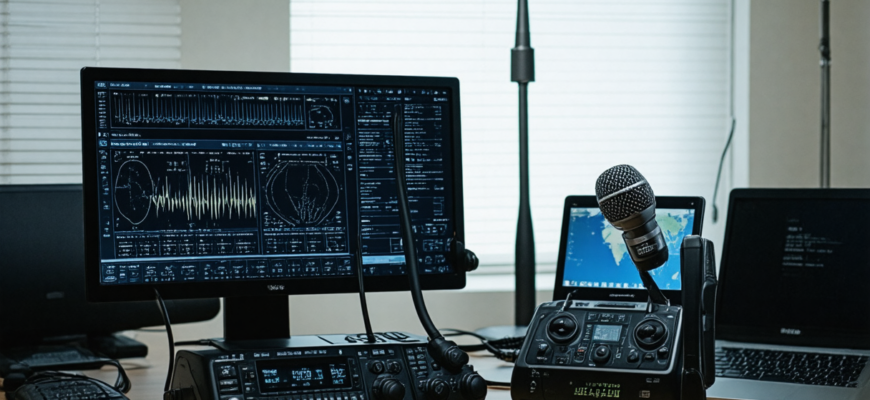
In the rapidly evolving world of amateur radio, remote stations have become invaluable tools for enthusiasts seeking to operate globally without being physically present at their antennas or radios. With advancements in network technology, cybersecurity, and radio equipment, setting up a reliable, secure, and accessible remote station is more achievable than ever before. This comprehensive guide explores the best practices involved in establishing a remote amateur radio station accessible across the globe, ensuring optimal performance, security, and flexibility.
- Understanding the Concept of a Remote Radio Station
- Key Components of a Remote Radio Station
- Step-by-Step Guide to Setting Up a Remote Station
- 1. Planning and Site Selection
- 2. Hardware Installation
- 3. Network Configuration and Security
- 4. Software Configuration and Testing
- 5. Antenna Control and Automation
- 6. Security Measures and Maintenance
- Best Practices and Tips for Reliable Worldwide Accessibility
- 1. Use Redundant Internet Connections
- 2. Optimize Network Latency and Bandwidth
- 3. Implement Secure Access Protocols
- 4. Automate Monitoring and Alerts
- 5. Document Everything and Have a Contingency Plan
- Common Challenges and Solutions
- Challenge 1: Network Stability
- Challenge 2: Security Threats
- Challenge 3: Latency and Control Lag
- Sample Configuration Table: Optimal Remote Station Setup
- Legal and Regulatory Considerations
- Additional Resources
Understanding the Concept of a Remote Radio Station
A remote radio station (or remote shack) is a setup where the operator can control amateur radio transceivers and associated equipment from a location different from where the hardware is physically installed. This configuration allows operators to access their station via the internet or other network means, facilitating operations from anywhere in the world, be it a home, office, or while traveling.
Remote stations are especially valuable for:
- Operating high-power or specialized antennas located far from the operator’s home.
- Maintaining multiple bands and modes without switching equipment physically.
- Participating in contests or DXing with minimal physical setup.
- Ensuring safety during adverse weather conditions or personal health limitations.
Key Components of a Remote Radio Station
Setting up a remote station requires integrating various hardware and software components, each playing a vital role:
| Component | Description |
|---|---|
| Transceiver | High-quality radio transceiver capable of remote operation, often with SD cards, multiple bands, and modes. |
| Computer or Embedded Controller | Runs control software, interfaces with radio hardware, and connects to the internet. |
| Network Equipment | Reliable internet connection, including routers, switches, and possibly VPN setups for security. |
| Control Software | Remote control applications such as Hamlib, RigCtl, or proprietary solutions that allow full station management. |
| Operating System | Typically Windows, Linux, or specialized embedded OS ensuring stability and security. |
| Power Supply | Uninterruptible power supplies (UPS) or backup generators for continuous operation. |
| Antenna System | High-gain, multi-band antennas equipped with remote switching (antennas rotators, gang switches). |
| Security Measures | Firewalls, VPNs, and encryption protocols to protect against unauthorized access. |
Step-by-Step Guide to Setting Up a Remote Station
1. Planning and Site Selection
Successful remote station deployment begins with meticulous planning. Consider the following:
- Location: Ensure the site’s stability, accessibility, and security.
- Interference: Choose a location with minimal RF interference, electromagnetic noise, and obstructions.
- Connectivity: Confirm high-speed, reliable internet access with sufficient upload/download speeds.
- Power Supply: Reliable power sources with backup options such as UPS.
2. Hardware Installation
Install radio equipment, control interfaces, and antennas in a secure, environmentally protected environment. Steps include:
- Mount and align antennas for optimal signal reception and transmission.
- Connect transceivers to antennas via coaxial cables, ensuring proper grounding and shielding.
- Set up the control computer or embedded controller, ensuring compatibility with radio hardware.
- Configure network devices for fault tolerance and performance.
3. Network Configuration and Security
Internet connectivity forms the backbone of remote operation. To optimize and secure the network:
- Establish a fast, stable connection: Prefer wired Ethernet over Wi-Fi for stability.
- Configure QoS (Quality of Service): Prioritize radio control traffic to prevent latency issues.
- Implement VPN: Use a Virtual Private Network to encrypt data and restrict access.
- Firewall Setup: Configure firewalls to permit only necessary ports and protocols.
- Dynamic DNS: Use DDNS services if your IP is dynamic, to access your station remotely with a consistent domain name.
4. Software Configuration and Testing
Proper software setup ensures smooth operation and troubleshooting capabilities:
- Install and configure radio control software compatible with your hardware, such as RigCtl or Hamlib.
- Set up remote desktop or VNC software if physical access is required.
- Configure logging, logging servers, and software for real-time control and monitoring.
- Test each component thoroughly: connect to the station remotely, verify control commands, and audit latency.
5. Antenna Control and Automation
A notable feature of remote stations is automation:
- Implement remote-controlled antenna rotators, gantry switches, or antenna switches.
- Automate band switching based on propagation conditions or scheduled activities.
- Configure remote sensors for environment monitoring (temperature, humidity).
6. Security Measures and Maintenance
Protecting your station from cyber threats and ensuring consistent operation involves:
- Regularly updating firmware and control software.
- Implementing strong passwords and multi-factor authentication.
- Conducting periodic security audits.
- Scheduling routine hardware and software maintenance.
Best Practices and Tips for Reliable Worldwide Accessibility
1. Use Redundant Internet Connections
Having multiple internet sources (such as wired broadband and LTE/5G) ensures the station remains accessible even during outages. The system can automatically switch to backups when needed, minimizing downtime.
2. Optimize Network Latency and Bandwidth
Low latency and sufficient bandwidth are critical for real-time control and logging. Utilize tools like ping tests and speed tests regularly, and upgrade your connection if necessary.
Consider dedicated internet lines or QoS prioritization for your radio control traffic.
3. Implement Secure Access Protocols
Thorough security protocols safeguard your station from unauthorized access:
- Strong, unique passwords
- VPN tunnels for remote access
- Encrypted data transmission (e.g., SSH, SSL/TLS)
- Firewall restrictions based on IP addresses or time windows
4. Automate Monitoring and Alerts
Deploy remote monitoring tools that oversee hardware status, power supplies, and network health. Set up alert systems (email, SMS) for critical failures, enabling swift response to potential issues.
5. Document Everything and Have a Contingency Plan
Maintain detailed documentation on setup, configuration, and troubleshooting procedures. Prepare backup configurations and have access methods verified and tested regularly.
Common Challenges and Solutions
While setting up a remote station offers numerous benefits, some challenges may arise:
Challenge 1: Network Stability
Solution: Use wired connections and implement failover options. Regularly test network performance and update firmware for routers and switches.
Challenge 2: Security Threats
Solution: Strengthen security with encryption, firewalls, and VPNs. Keep all software patched and conduct periodic security scans.
Challenge 3: Latency and Control Lag
Solution: Use high-speed internet, optimize network settings, and adjust control software parameters for responsiveness.
Sample Configuration Table: Optimal Remote Station Setup
| Component | Recommended Specifications |
|---|---|
| Internet connection | Fiber optic or high-speed broadband (>100 Mbps download/upload) |
| Router | Enterprise-grade with VPN support and QoS features |
| Control software | Hamlib, WSJT-X, or proprietary remote management tools |
| Antenna system | Steerable rotators, remote switches, multi-band antennas |
| Backup power | Uninterruptible Power Supply (UPS) with capacity for 4+ hours |
| Security | Firewall, VPN, strong passwords, and regular updates |
Legal and Regulatory Considerations
Before deploying a remote station, ensure compliance with local regulations and licensing requirements. Some countries have restrictions on remote operation or specific licensing protocols. Obtain necessary permissions, operate within authorized frequency bands, and follow good amateur practices.
Establishing a remote amateur radio station accessible worldwide requires careful planning, robust hardware, secure software configurations, and vigilant ongoing maintenance. By following best practices outlined in this guide—covering everything from site selection and network management to security and automation—radio enthusiasts can enjoy seamless, reliable, and secure global operation. Such stations not only expand the possibilities of amateur radio but also foster a new level of connectivity among hobbyists worldwide, enabling participation in contests, DXing, and emergency communication efforts from any corner of the globe.
Additional Resources
- Ham Radio Software and Hardware Resources
- ARRL – American Radio Relay League
- eHam.net – Amateur Radio Community
- QSL.net – Technical Articles and Guides
Whether you’re just starting or seeking to upgrade your existing remote station, adhering to these best practices will help maximize your station’s potential, ensuring safe, efficient, and enjoyable worldwide amateur radio operation.
Похожие записи:
 Emergency Communication Protocols for Ham Radio Operators: The Latest Updates and Best Practices
  Effective Troubleshooting Guide for Common Radio Hardware Issues in Amateur Radio
  New Regulations Affecting Amateur Radio Licensing and Operation: What You Need to Know
  Innovative Antenna Designs for Enhanced HF Performance
  Последние достижения в области цифровых средств связи в любительском радио: инновации и будущее